
Make it yours.
Your goal. Your favorite glass.
Your own daily rhythm.
 Watersum
Meet your daily water goal, one sip at a time. A simple water tracker for iPhone, iPad, Apple Watch, Mac, and Apple TV.
Try logging a drink.
Your goal. Your favorite glass.
Your own daily rhythm.
Thoughtful reminders that fit
around your day.

Log a drink from your wrist,
a widget, or Siri.
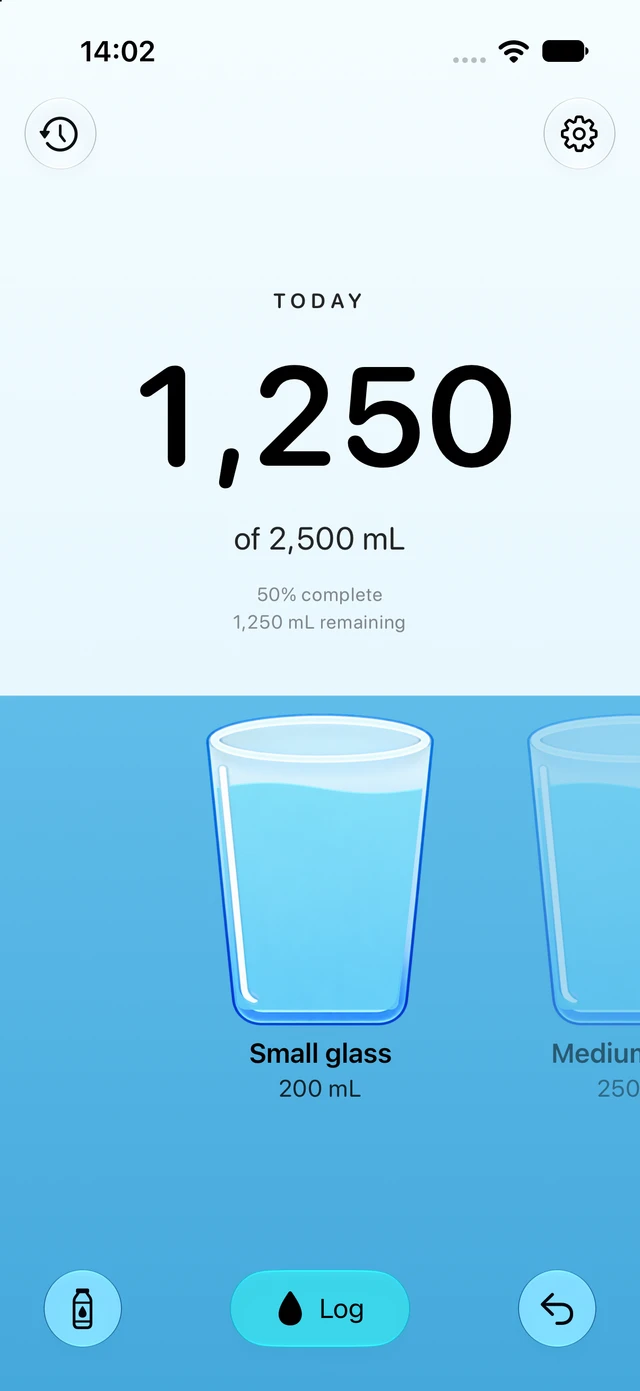
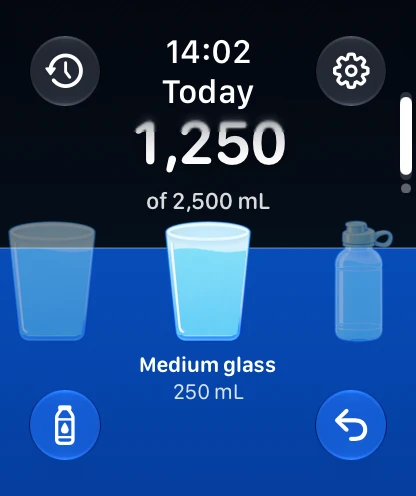
Track on iPhone or iPad, take a quick sip with Apple Watch, log from your Mac menu bar, or check your day on Apple TV.
No account needed. iCloud keeps your Watersum drinks in sync.
Watersum works on iPhone, iPad, Apple Watch, Mac, and Apple TV. Use your favorite containers on iPhone or iPad, log a drink from your wrist or your Mac menu bar, and check your progress on the big screen.
No Watersum registration needed. Watersum saves your drinks on your device, and iCloud keeps your Watersum drinks in sync across your Apple devices when available.
Yes, on iPhone, iPad, and Apple Watch. You can choose to save your Watersum drinks to Apple Health, include water logged by other apps, or keep Health integration off. You control access in Apple Health and your device settings.
Absolutely. Choose a daily goal, use milliliters, liters, or fluid ounces, and add your favorite containers with their exact capacities. The 2,500 mL goal in the preview is just an example.
Yes. Watersum works independently on Apple Watch. Choose a saved container to log a drink, use the Digital Crown for a custom amount, or check your progress in a complication or the Smart Stack.
Apple TV uses an existing Watersum setup in your current Apple TV user’s iCloud account. Set up your goal and containers on iPhone, iPad, or Mac, then use the Siri Remote to log a drink and browse your history. Apple TV shows drinks logged in Watersum; water imported from Apple Health stays on Health-enabled devices.